Updating a webpage
The Office of Communications & Marketing oversees all business school websites.
If you are a RBS staff or faculty member and would like to request an update to information on a business school website, please email webmaster@business.rutgers.edu.
Please include the following:
- Which page you're referring to (copy & paste the URL)
- What information on the page should change
How the ticketing platform works
When you email the support address with a new request, a new ticket will be created in our platform. You will then receive an automated email that looks similar to the following image:
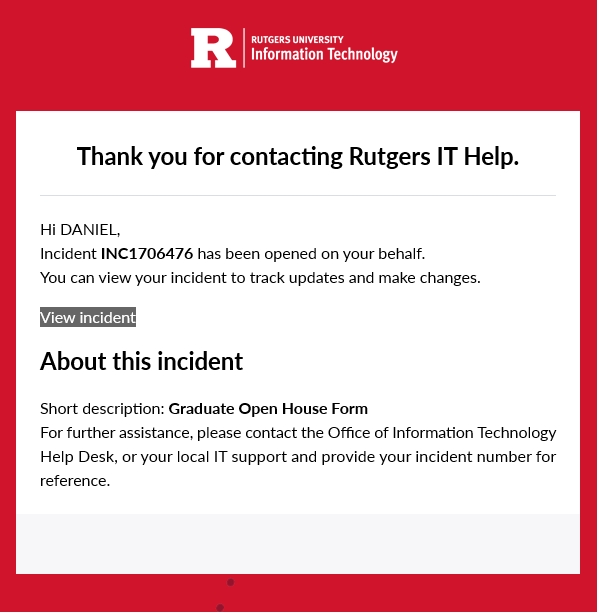
While the automated email may reference "Rutgers University Information Technology" and "Thank you for contacting Rutgers IT Help," please understand that this is normal and you have correctly contacted the Website Operations team.
New tickets will automatically alert the full Website Operations team and your ticket will be assigned to a specific member of our team. Our team will start working on your request and reach out to you.
Faculty profile pages
If you are a faculty member and would like to create or update your profile page on the RBS Website, please visit our profile guide.
Internal events
To view upcoming internal events (and meetings), or to post your own, please visit Localist, the new RBS calendar platform.